

Home Assistant has become really big in recent years. But with success come misunderstandings – and there are quite a few that stubbornly persist. I keep reading them: in forums, on Reddit, in the comments under my posts. With my 6+ years of experience with Home Assistant, I have enough insight to debunk the 5 biggest myths.
Myth 1: “Home Assistant is only for hardcore tech nerds”
This is probably the most persistent myth of all – and it kept me busy for a long time, too. When I started with Home Assistant in 2020
, you had to edit configuration.yaml for almost everything, and
YAML
YAMLData format (YAML Ain’t Markup Language). Used in Home Assistant for configurations, automations and scenes. Easy to read but error-prone with incorrect indentation
was the only way to build automations. One wrong indentation, and nothing worked anymore.
Fortunately, Home Assistant has evolved massively.
The graphical automation editor has become powerful and takes this Sisyphean task off your hands. What used to be tedious YAML hacking can now be done almost entirely through the user interface. Home Assistant still writes the YAML in the background, but you no longer have to look at it. Version 2026.7 in particular brought a lot of improvements. The focus shifted from how to what. What do you want to automate – HA suggests suitable entities for you.
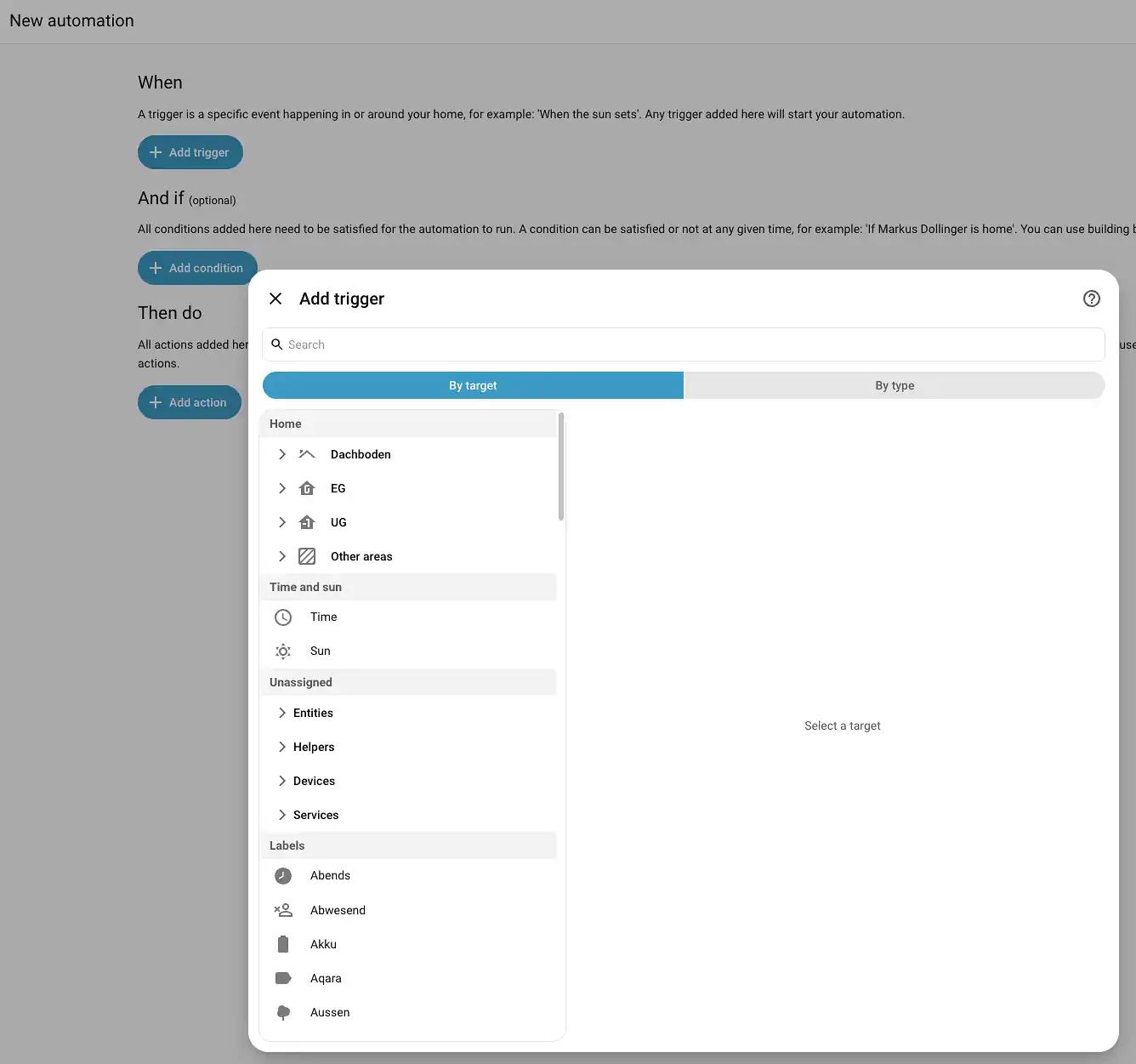
A lot has also happened on the hardware side. With the Home Assistant Green, there’s a plug-and-play solution that’s barely more complicated than a commercial smart home hub. Unpack, connect network cable and power, done. No Linux, no Docker DockerContainer platform for isolating applications. Each container includes all dependencies and runs independently of the host system. Home Assistant add-ons, Frigate, Paperless-ngx and many other self-hosted services use Docker , no command line. However, I do believe you should also spend some time understanding the installation. Plus, you can get much more powerful hardware for a similar price.
The barriers to entry keep falling with each new version. What had to be manually configured in YAML configuration files a few months ago is increasingly moving into the user interface and can be configured with a mouse click. Dashboards can be configured and arranged via drag and drop.
What About Power Consumption?
A related misconception: “A home server runs 24/7 – I don’t even want to see the electricity bill.”
This is hardly an argument anymore either. A Raspberry Pi 5 with NVMe SSD and Zigbee ZigbeeWireless communication standard for smart home devices. Energy-efficient, decentralized (mesh network) and cross-manufacturer. Alternative to Wi-Fi, Matter and Bluetooth stick draws about 5 watts – that’s around 44 kWh per year, or about 13 euros in electricity costs. Even a used Mini PC with an i5 CPU rarely exceeds 15 watts at idle. My own home server with Proxmox, multiple VMs, and Docker containers draws an average of 100 watts, but as I wrote in my self-hosting post : thanks to my PV system, that doesn’t really matter anymore. Besides, my server has replaced several services I used to pay subscriptions for with self-hosting.

If you want to be really frugal, you can get by with 5 watts and about 13 euros per year. That’s less than a Netflix subscription per month.
But with Home Assistant you can also automatically switch off consumers when they’re no longer needed or when no one is home. You can intelligently control heating and radiators or turn on large consumers when solar power is coming from the roof or electricity prices are low with dynamic tariffs. This can significantly reduce your energy needs.
⚠ [affiliate] Keine Produkte mit Cache für home-assistant.
Bitte affiliate-sync --lang en ausführen.
Myth 2: “Without the internet, Home Assistant is completely useless”
This is not just wrong – it’s the exact opposite of the truth.
Home Assistant was developed with a local-first approach. The focus is on local control and data privacy, meaning data primarily stays within your own network and doesn’t depend on manufacturers’ cloud servers. If your internet goes down, all local devices and automations continue to work – lights, heating, blinds, everything remains controllable.

I demonstrated this using the example of Belkin WEMO, showing what happens when you rely on manufacturer clouds: the manufacturer shuts down the servers, and the “smart” devices become paperweights. With Home Assistant, that won’t happen to you. This also happened with Bosch and other providers.
The Most Important Tip at This Point:
Before you buy any hardware for your smart home, you should always check whether there’s already an integration for Home Assistant. The best integrations – and therefore devices – are those where you don’t depend on the manufacturer’s cloud or software and can control and read everything locally.
Remember: There is no cloud! It’s just someone else’s server that you have no control over!
Security: Local Means Secure
Every device that runs through a manufacturer’s cloud is a potential attack target. Especially well-known systems with many customers and instances are particularly attractive to hackers.
For remote access, I use a Cloudflare Tunnel or WireGuard – both solutions that work without open ports and are end-to-end encrypted. If you want the easy route, use Nabu Casa – remote access is secure and set up with one click, and you also support Home Assistant’s development in the process.
Future-Proofing: No Cloud That Can Be Shut Down
Every cloud-dependent device has an expiration date. The manufacturer decides when the servers are shut down – you have no control over it. With Home Assistant, the control is in your hands. Even if the project were discontinued tomorrow (which is extremely unlikely for one of the largest open-source projects in the world), your installation would continue to run. No kill switch, no forced shutdown.
Myth 3: “For a smart home, I need strong Wi-Fi – and as many Wi-Fi devices as possible”
A classic misunderstanding that I keep reading in the comments.
In fact, it’s often bad for your Wi-Fi if you connect dozens of smart home devices to it. Your network can become unreliable, and cheap IoT IoTInternet of Things – umbrella term for networked devices that communicate over the internet (sensors, actuators, household appliances). Smart home is a subset of IoT – with a focus on local control instead of cloud dependency devices in particular aren’t known for their stable Wi-Fi. Moreover, Wi-Fi devices are comparatively power-hungry – making them completely unsuitable for a battery-powered door sensor.

Home Assistant instead relies on wireless standards like Zigbee, Z-Wave, or Thread ThreadThread (Matter) – wireless protocol for smart home devices, based on IPv6. Together with Matter it forms the communication foundation. Not to be confused with a discussion thread in forums or social media . These form their own mesh network: each mains-powered device (like a light bulb or a smart plug) simultaneously acts as a repeater, automatically extending the range. They are extremely power-efficient – ideal for battery devices – and significantly relieve your Wi-Fi. Bluetooth devices are also a very good alternative. Home Assistant now supports Bluetooth directly, and devices like Shelly ShellyBulgarian manufacturer of Wi-Fi-based smart home relays, sensors and actuators. Popular due to local control without cloud dependency PM1 etc. simultaneously work as Bluetooth proxies. This creates reliable Bluetooth coverage across the entire house. If you want, you can build a Bluetooth proxy with ESPHome ESPHomeFramework for configuring ESP32/ESP8266 microcontrollers that automatically integrate into Home Assistant. Ideal for DIY sensors and actuators and e.g. an ESP32 C3 for just a few euros.
I’ve written a detailed comparison between ZHA, deCONZ, and Zigbee2MQTT . In short: with a Zigbee stick for under 30 euros and the right integration, things run more reliably than any Wi-Fi device.
By the way, I’ve put together the 5 best sensors – from temperature to mmWave presence detection to CO₂ – here .
Myth 4: “Home Assistant is completely free”
This is fundamentally correct, but it often leads to false expectations.
Home Assistant itself is indeed free and open source – no question. The software doesn’t cost a cent. But: it needs a platform to run on, and that costs money.
The range is huge: A Raspberry Pi 5 with NVMe SSD, case, and power supply costs about 150 to 180 euros. A used Mini PC with i5 CPU, 8 GB RAM, and 250 GB SSD can often be found for under 100 euros – and it’s significantly more powerful than a Raspi. The sky’s the limit beyond that.
Then there are the smart home devices themselves: sensors, actuators, lights, thermostats. These usually make up the biggest cost block – completely independent of whether you use Home Assistant, ioBroker, or a commercial hub.
And then there’s electricity. As mentioned in Myth 1: 5 to 15 watts continuous operation – that’s about 13 to 40 euros per year. Not a drama, but it’s part of the honest picture.
What many also overlook: a proper backup strategy needs to be set up and maintained. Yes, Home Assistant has a built-in backup function , and it’s good. But a backup that’s on the same hardware as the installation is not a backup – I explained this in detail in my Google Drive backup quickie . A lightning strike or hardware defect, and both are gone. So you need at least an external hard drive or cloud storage – and that also costs money.
The big advantage remains: you decide for yourself how much you want to invest. No mandatory monthly subscription for 15 euros, no “Advanced Features” tier.
If you still have an old PC, laptop, or Raspi lying around, you can simply start exploring Home Assistant with that existing hardware. It costs nothing at first, and you get a feel for the interface, can learn the basics, and test extensively.
Myth 5: “Every update destroys my configuration”
I hear this myth especially often from people switching from other systems – or from people running Home Assistant on a Raspberry Pi with an SD card – which is apparently still surprisingly common.
Yes, Home Assistant gets an update every month. And yes, occasionally there are breaking changes. But: they’re documented in the release notes, and in 95% of cases they affect integrations you probably don’t even use. In over 5 years of using Home Assistant, I’ve encountered exactly one update that affected me – and it was fixed in 5 minutes with a backup.

Speaking of backups: that’s your life insurance. Before every update, I take a snapshot of my virtual machine. With Proxmox, it’s a single click – if something goes wrong, I’m back to the previous state in 2 minutes. Even without Proxmox, you can use Home Assistant’s built-in backup function to automatically back up to Google Drive and restore from there. A free Google Drive account is often enough as a target.
In my post about the 10 most common Home Assistant mistakes , I gave the topic of “No Backups” its own section. For good reason. Reddit and forums are full of cries for help from people who crashed their Home Assistant installation due to ignorance or misconfiguration and are now standing there without a backup. No backup – no sympathy! That applies not just to Home Assistant, of course.
Why Updates Are Still Important
Not doing updates is, by the way, the worst of all options. Home Assistant is a system connected to your network and potentially processes sensitive data about your home. Security updates are not a nice-to-have – they’re mandatory. The good news: with a solid backup strategy, you can install every update without fear.
Critical Functions Must Work Without Home Assistant
This brings me to a point that’s often overlooked – and which I already addressed in my post “Is a Smart Home Worth It When Building a House?”:
No matter how well your Home Assistant system runs – lights, heating, blinds, and all safety-relevant functions must also work without it. Period.

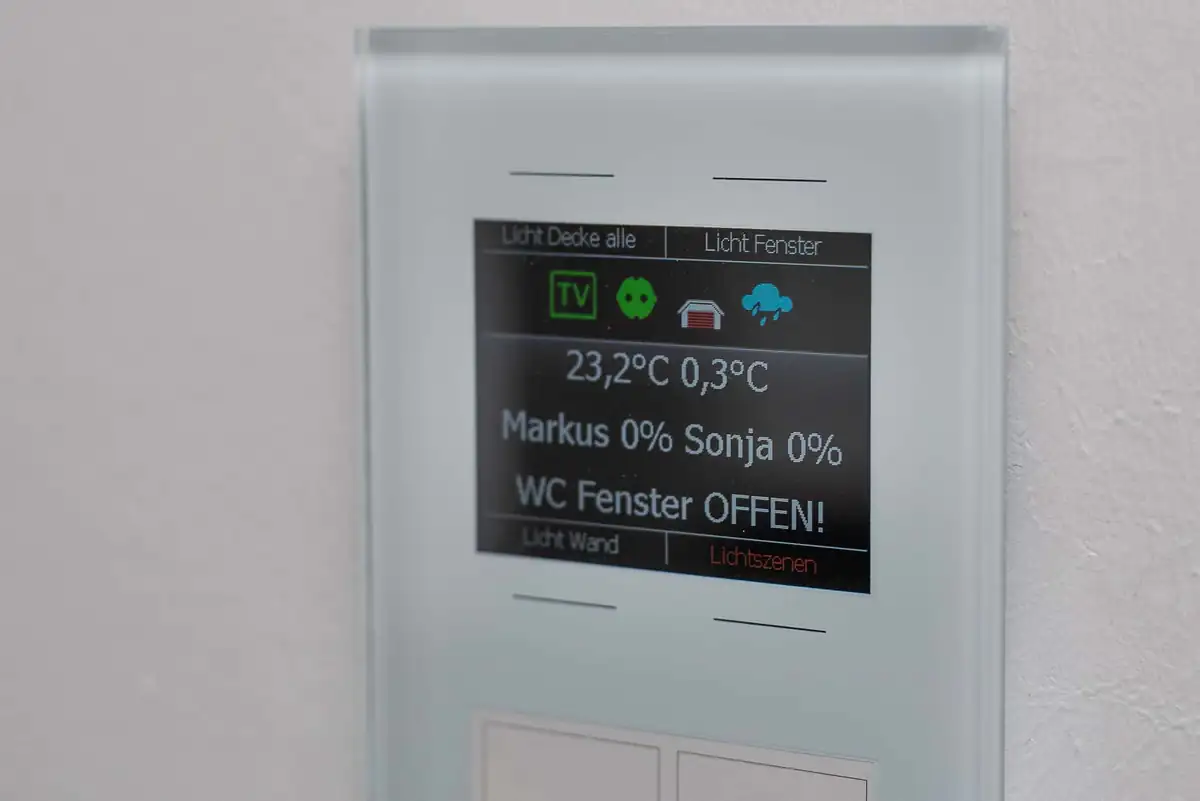
In my case, the entire basic building automation runs on LCN Issendorff , a bus system that, once parameterized, operates completely autonomously. If Home Assistant fails, I can still operate every light switch normally, the heating continues to run, the blinds move. Comfort suffers, basic functions don’t.
This separation between production system and comfort layer is essential. Home Assistant makes things smarter – but it must not become a single point of failure.
What Happens When the Maintainer Is No Longer Around?
A topic hardly anyone talks about – but one everyone should have in the back of their mind. The sudden death of my father made me realize how vulnerable a technical system is when the knowledge resides in just one person’s head.
What happens to your smart home if you – for whatever reason – are no longer there or can no longer take care of it? Does your partner know how the basics work? Is there documentation of the most important access points, services, and passwords?
This isn’t a Home Assistant-specific problem, but a general homeowner topic. Yet it’s criminally underestimated. Talk to your partner. Explain what’s running in the background and where to find the most important information in an emergency. Define which functions are critical and how to operate them without the smart home hub. Even without a smart home and Home Assistant, this applies to your heating, internet router, PV system, sump pump, etc. The adult residents of a house need to know how it works, which contracts exist with electricity and telecommunications providers, and so on.
Conclusion: Home Assistant Is Better Than Its Reputation
Home Assistant has made an enormous leap forward in recent years – technically as well as in terms of user-friendliness. Most of the prejudices date back to a time when YAML was the only way and the Raspberry Pi 3 with an SD card was the standard platform.
That’s no longer the case.
If you don’t let the myths scare you off and are willing to invest some time, you’ll get the most powerful smart home system there is with Home Assistant – no cloud dependency, no subscription traps, and a community and amount of supported hardware and services that is second to none. With a solid backup strategy, a well-thought-out separation of critical and comfort-enhancing functions, and a plan for the worst-case scenario, nothing stands in the way of a stable and future-proof smart home.
Which Home Assistant myths have you encountered? What almost kept you from getting started? Let me know in the comments!

Hi! I'm Markus – the Fricklr. ⚡ Electrical engineer, 🎵 musician (bass, guitar, keys) and professionally 'something with the internet' 🌐 for over 30 years – nowadays with AI too 🤖 – a 55-year-old generalist from Bavaria, Germany.
Your feedback helps me write even more interesting posts. After "Yes" there's also a small option to support my work.
What do you think? Leave a comment!
Share your thoughts, questions or experiences with the community.