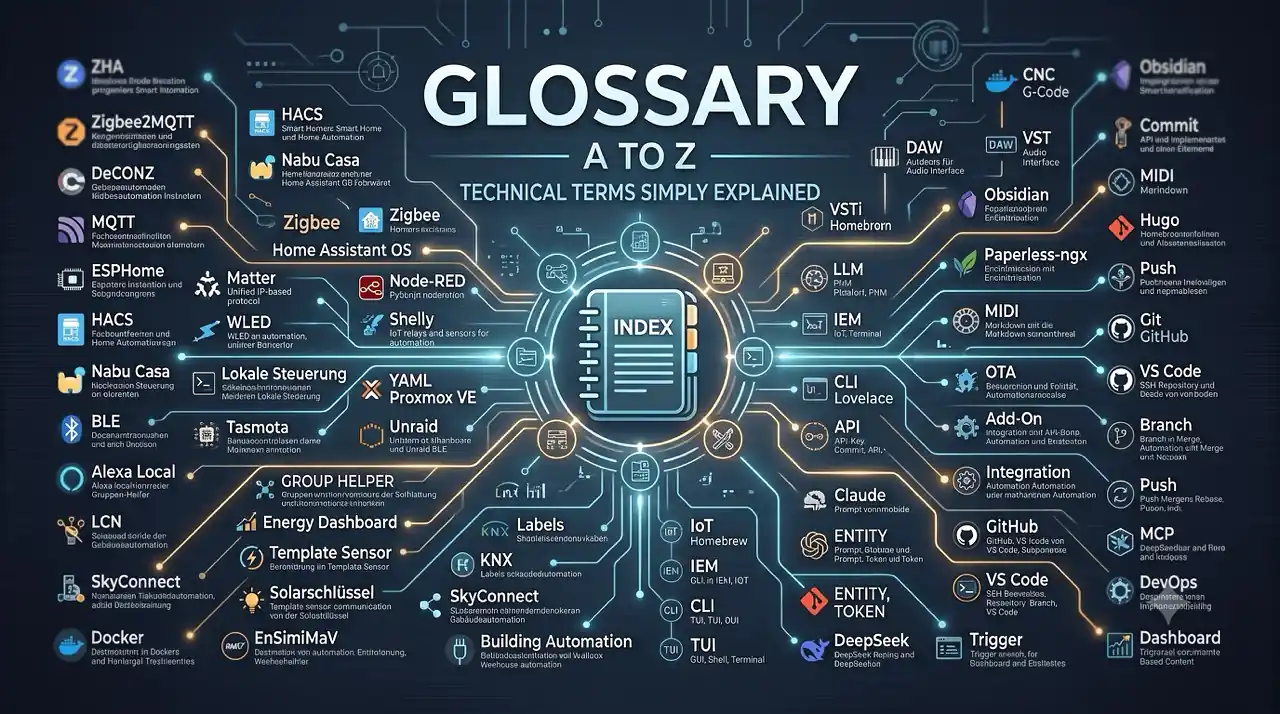
Glossary
The key terms around smart home, Home Assistant, DIY, electronics and tech – explained concisely. In every article, such terms are marked with a ?. Here you’ll find all explanations collected on a single page.
.gitignore gitignore
Text file containing rules for files Git should not track. The files remain on the computer or Home Assistant server but are not included in commits
Add-on add-on
Additional software package for Home Assistant OS/Supervised, installed via the add-on store (renamed to ‘Apps’ in newer HA versions). Runs as its own container alongside core – e.g. the SSH add-on
Alexa Local alexa-local
Method to connect Amazon Alexa devices directly to Home Assistant (without Nabu Casa Cloud) via the local APIs of Echo devices. More complex but no subscription needed
API api
Application Programming Interface – defined interface through which programs communicate. Home Assistant offers a REST and a WebSocket API (e.g. for MCP)
API-Key api-key
Secret key for authenticating against an API. In HA e.g. a long-lived access token for the REST API – store carefully and never commit it to the Git repo
Audio Interface audiointerface
External device for high-quality audio recording and playback on a computer. Converts analog microphone/instrument signals into digital audio data (AD conversion) and vice versa (DA conversion)
Automation automation
Rule-based workflow in Home Assistant: triggers, conditions and actions automatically execute a flow (e.g. turn on lights at sunset)
Backup backup
An independent copy used to restore the whole system or important data. A Home Assistant backup complements Git and does not replace version history
Badge badge
Small informational element in a Home Assistant dashboard view (Lovelace) – e.g. weather, people or device status. Not to be confused with the ‘?’ tooltip in the glossary
BLE ble
Bluetooth Low Energy – energy-efficient Bluetooth variant for sensors. Xiaomi Mijia temperature sensors and hygrometers use BLE, for example
Blueprint blueprint
Reusable automation template in Home Assistant. A blueprint defines structure and options, you only fill in the inputs – shareable via the blueprint exchange
Branch branch
Branch of the Git history: a parallel development line. On a feature branch you can rebuild safely while main stays stable (Part 2 of the series)
Building Automation gebaeudeautomation
Automated control of building functions such as lighting, blinds, heating and climate. Forms the backbone of a smart home. Well-known systems: LCN, KNX, Loxone, Homematic
CI/CD ci-cd
Automated checking and delivery of changes. For Home Assistant, CI/CD is optional and replaces neither testing nor complete backups
Claude claude
AI assistant by Anthropic (Sonnet, Opus, Haiku models). Uses MCP natively – Claude Desktop was one of the first MCP clients and can access your HA server directly
CLI cli
Command Line Interface – operating a program via text commands in a terminal instead of a graphical interface. Git, ssh and many HA tools are controlled via the CLI
CNC cnc
Computerized Numerical Control – computer-controlled milling machine. In the hobby sector often a gantry router (e.g. Genmitsu PROVerXL 4030) for milling wood, plastic and aluminum. Controlled via G-code from CAM software
Commit commit
A saved checkpoint in Git: a snapshot of changes with message, author and timestamp. The building blocks of version history
Configuration as Code configuration-as-code
An approach that manages system configuration as text files that can be checked, documented and versioned
Conflict conflict
Conflicting changes to the same location that Git cannot resolve automatically when merging. The affected file must be reviewed manually
Dashboard dashboard
Graphical overview page in Home Assistant (Lovelace) for controlling and displaying entities. Can be versioned as YAML (Part 3 of the series)
DAW daw
Digital Audio Workstation – software for music production (recording, editing, mixing). Well-known DAWs: Cubase, Logic Pro, Ableton Live, Studio One, Reaper
DeCONZ deconz
Software by dresden elektronik for controlling Zigbee devices. Runs on a ConBee/RaspBee stick and provides an API for Home Assistant
DeepSeek deepseek
Chinese AI company and its models (R1, V3). Usable as an inexpensive alternative to GitHub Copilot directly in VS Code via the Vizards extension
DevOps devops
Culture of connecting development and operations: managing, versioning and automating everything as code. In the HA context: configuration as code, Git, CI/CD
Diff diff
Comparison between two file states. A diff shows which lines were added, changed or removed
Docker docker
Container platform for isolating applications. Each container includes all dependencies and runs independently of the host system. Home Assistant add-ons, Frigate, Paperless-ngx and many other self-hosted services use Docker
Energy Dashboard energy-dashboard
Built-in dashboard in Home Assistant for visualizing power consumption, PV yields and costs. Supports import from electricity, gas and water meters
Enshittification enshittification
A term coined by Cory Doctorow describing the gradual decline in quality of digital platforms. It outlines the process where a service, after achieving monopoly power, progressively degrades the user and partner experience to maximize short-term profit—until the platform degenerates so severely that users, business partners, and ultimately investors abandon it. More on the concept in his book „Enshittification“ .
Entity entitaet
The smallest unit of information in Home Assistant – a sensor, switch, light or automation is represented as an entity with state and attributes (e.g. sensor.temperature_bedroom)
ESP32 esp32
Microcontroller by Espressif with integrated Wi-Fi and Bluetooth. The heart of many DIY smart home projects – programmable via ESPHome, Tasmota or Arduino
ESPHome esphome
Framework for configuring ESP32/ESP8266 microcontrollers that automatically integrate into Home Assistant. Ideal for DIY sensors and actuators
EV Charger (Wallbox) wallbox
Charging station for electric cars with Type 2 connector. Charges at 3.7–22 kW (230V/400V). Smart wallboxes (go-eCharger, Sungrow) support PV surplus charging and can be integrated into Home Assistant
Frigate frigate
AI-based surveillance camera software with object detection (people, animals, vehicles). Runs completely locally and can be used as a Home Assistant integration
G-Code gcode
Machine control language for CNC routers and 3D printers. Consists of simple commands like G01 (linear move) or M03 (spindle on). Generated by CAM software from CAD models
Git git
Distributed version control system. Records every change to text files as a commit – with history, branches and the ability to restore any state
GitHub github
Web platform for Git repositories. A private repository can act as a remote for your configuration history. GitHub is not a complete Home Assistant backup
GitHub Copilot github-copilot
AI assistant by GitHub and Microsoft for coding, research, error analysis and documentation. In VS Code, Copilot can take project context and local project rules into account
Group Helper group-helper
Helper entities in Home Assistant that combine multiple entities. Enables e.g. controlling all lights in a room as one group – also useful for automations
GUI gui
Graphical User Interface – visual interface with windows, buttons and mouse interaction. The HA web interface, VS Code and most apps are GUIs
HA Core ha-core
The actual Home Assistant program (Python application) – without OS and supervisor. Can also be run standalone in a Python venv or in Docker
HACS hacs
Home Assistant Community Store – unofficial marketplace for integrations, add-ons and custom dashboards from the community
Helper helper
Virtual entities in Home Assistant for data processing and control (e.g. toggles, sliders, schedules). Created via Settings → Devices & Services → Helpers
Home Assistant OS haos
Complete operating system for Home Assistant including Supervisor, add-ons and optimized operation on Raspberry Pi, ODROID or x86 hardware
Homebrew brew
Package manager for macOS (and Linux). Installs software via command line – e.g. brew install hugo. The unofficial app store for developers
Hugo hugo
Static site generator written in Go. Generates a static website from Markdown files and templates – extremely fast (build in milliseconds). fricklr.com runs on Hugo with the Blowfish theme
IEM iem
In-Ear Monitors – high-quality earphones for monitoring (e.g. on stage or in the studio). Unlike consumer in-ears, IEMs offer more precise sound, better isolation and often detachable cables
Integration integration
In Home Assistant: connecting a device or service via ‘Devices & Services’. Each integration provides entities (e.g. Shelly, Zigbee, MCP). Not to be confused with the general IT term
Inverter wechselrichter
Converts direct current (DC) from PV modules into grid-compliant alternating current (AC). Hybrid inverters (e.g. Sungrow SH10RT) can also charge battery storage and provide backup power
IoT iot
Internet of Things – umbrella term for networked devices that communicate over the internet (sensors, actuators, household appliances). Smart home is a subset of IoT – with a focus on local control instead of cloud dependency
KNX knx
Wired bus system for building automation (since 1990). Professional standard using twisted pair cabling. Home Assistant has had an official KNX integration since 2023
Labels labels
Home Assistant feature (since 2024.4) for flexible entity organization. Unlike fixed areas, labels can be freely combined – e.g. ‘Bedroom’ + ‘Motion sensor’ for targeted automations
LCN lcn
LCN (Local Control Network) – German bus system for building automation by Issendorff. Uses existing 230V wiring as bus line. Can be integrated into Home Assistant via LCN-VISU or custom integration
Least Privilege least-privilege
Security principle stating that a user or service receives only the permissions required for its task
LLM llm
Large Language Model – AI model trained on vast amounts of text that can understand and generate natural language. Examples: GPT-4, Claude, Gemini, DeepSeek. Foundation for chatbots like ChatGPT and GitHub Copilot
Local Control cloudfree
Smart home devices that work without a manufacturer cloud – control happens directly on the local network. More privacy-friendly, reliable and often faster
Local Model lokales-modell
AI model running on the user’s own hardware rather than on a cloud server. Inputs and runtime data can therefore remain local, but sufficient memory and computing power are required
Lovelace lovelace
Home Assistant’s dashboard system. Dashboards are created in Lovelace as YAML configuration or via the UI editor – and are therefore versionable too
Markdown markdown
Simplified markup language for text, using simple characters like #, *, []. Used by Hugo, Obsidian, GitHub, Notion and many other tools. All content on fricklr is written in Markdown
Matter matter
New smart home standard by Apple, Google, Amazon and the Connectivity Standards Alliance. Promises cross-manufacturer compatibility without cloud dependency
MCP mcp
Model Context Protocol – open industry standard for connecting AI clients to external systems. Home Assistant has provided an MCP server in core since 2025.2 (/api/mcp)
Merge merge
Git command to merge a branch into another – adopts its commits into the target history (possibly with a merge commit)
MIDI midi
Musical Instrument Digital Interface – standard protocol for transmitting musical data (notes, velocity, control commands) between digital instruments, controllers and DAWs. Not audio, but control data
MQTT mqtt
Lightweight publish/subscribe messaging protocol. Used in smart homes to exchange sensor data and control commands between devices
Nabu Casa nabu-casa
Company behind Home Assistant. Offers Home Assistant Cloud (remote access + Alexa/Google integration) as a paid service – funds HA development
Node-RED node-red
Visual programming environment for flows. Often used as a Home Assistant add-on to create complex automations graphically via drag & drop
Read more →Obsidian obsidian
Note-taking app with local Markdown storage and bidirectional links. Popular for personal knowledge management. Open source, with a large plugin community. Stores data as local Markdown files – no cloud dependency
Ollama ollama
Software for running and managing large language models locally. Ollama exposes models through a local interface, so runtime data does not have to leave the user’s computer
OTA ota
Over-The-Air – firmware update without cable, directly via Wi-Fi/network. Many ESP-based devices (ESPHome, Tasmota, WLED) can be conveniently updated this way
Paperless-ngx paperless-ngx
Open source document management with OCR text recognition. Automatically scans, classifies and searches PDFs. Runs as a Docker container – ideal for a paperless office
PKM pkm
Personal Knowledge Management – method and toolset for organizing personal knowledge. Popular PKM tools: Obsidian, Notion, Logseq. Goals: better understanding, connecting and retrieving information
Playbook playbook
Higher-level action plan for a technical scenario with possible decisions and branches. A playbook can contain several concrete runbooks
Prompt prompt
The input or instruction you give to an AI. A good prompt (clear, specific, with context) largely determines the quality of the result
Proxmox VE proxmox
Open source virtualization platform based on Debian. Enables running Home Assistant as a VM or container on a server
Pull pull
Git command that downloads and integrates new commits from a remote repository into the current local branch
Push push
Git command to upload local commits to a remote repository, for example on GitHub
PyScript pyscript
Enables writing Home Assistant automations in Python instead of YAML. Provides more flexibility for complex logic with loops and conditions
Read more →Rebase rebase
Git procedure that relocates a branch’s commits onto the current state of another – produces a linear, tidy history
Remote remote
A linked remote Git repository, for example a private repository on GitHub. It contains a copy of the Git history, not automatically the complete Home Assistant system
Repository repository
Storage and versioning location of a Git project – all files plus complete history. Local (/config/.git) and as a remote on GitHub
Rollback rollback
Deliberate restoration of an earlier working state, for example a single YAML file after a faulty change
Runbook runbook
Concrete step-by-step guide for a recurring technical task, such as a Home Assistant update or restoring from a backup
Secrets secrets
Confidential values such as passwords, API keys and access tokens. Secrets should not be put into public chats or a Git repository, but into protected configuration such as secrets.yaml
Self-Hosting self-hosting
Running your own server services on your own hardware instead of using cloud services. Motivations: data sovereignty, independence, cost control. Typical self-hosted applications: Home Assistant, Nextcloud, Paperless-ngx, Joplin, Readeck
Shell shell
Command-line interpreter that accepts and executes commands. In HA: the bash shell in the SSH add-on; on a Mac e.g. zsh
Shelly shelly
Bulgarian manufacturer of Wi-Fi-based smart home relays, sensors and actuators. Popular due to local control without cloud dependency
SkyConnect skyconnect
USB dongle by Nabu Casa for Home Assistant. Supports both Zigbee and Thread simultaneously – the official successor to ConBee for HA users
SSH ssh
Secure Shell – encrypted network protocol for remote server access. In HA: the lightweight SSH add-on for working on /config from your own machine
Supervisor supervisor
Management layer of Home Assistant OS/Supervised. The supervisor installs and monitors core, add-ons and backups – the system’s control center
Tasmota tasmota
Open source firmware for ESP8266/ESP32-based smart home devices (sockets, lights, relays). Replaces manufacturer firmware for local control without cloud
Template Sensor template-sensor
Virtual sensor in Home Assistant whose value is calculated from other sensors. Useful for unit conversion or combining values – e.g. kWh from watts × time
Terminal terminal
Program that displays a shell (e.g. macOS Terminal, VS Code integrated terminal, Git Bash). This is where you type CLI commands
Thread thread
Thread (Matter) – wireless protocol for smart home devices, based on IPv6. Together with Matter it forms the communication foundation. Not to be confused with a discussion thread in forums or social media
Token token
Cost/counting unit for AI API usage – one token roughly equals 3–4 characters. AI services like DeepSeek bill per token; that’s why many small requests are often very cheap
Trigger trigger
Trigger of a Home Assistant automation – the event that starts the flow (e.g. sunset, sensor value, time). First building block of every automation
TUI tui
Terminal User Interface – text-based interactive interface inside the terminal (e.g. htop, mc). No graphical window, but keyboard-operated
UI ui
User Interface – the visible surface of software (windows, menus, buttons). In HA: the dashboard (Lovelace), settings and the add-on store
Unraid unraid
NAS operating system with flexible storage management (no RAID requirement). Popular for home servers with Home Assistant as a Docker container
UX ux
User Experience – how understandable, efficient and pleasant a product is to use. Good UX makes smart home interfaces intuitive
VS Code vscode
Free editor by Microsoft. With the Remote-SSH extension you edit the HA config on your client without loading the HA server
VST vst
Virtual Studio Technology – plugin standard by Steinberg for virtual instruments and effects. VST3 is the current standard. Enables synthesizers, compressors, EQs as software within a DAW
VSTi vsti
Virtual Studio Technology Instrument – VST plugin that serves as a virtual instrument (synthesizer, sampler, drum machine). Unlike VST effects, a VSTi generates sound itself
WAF waf
Woman Acceptance Factor – tongue-in-cheek, semi-serious metric for a technical project’s or device’s acceptance by the female partner. A high WAF means: inconspicuous, quiet, visually appealing and easy to use. A low WAF: cable chaos, humming fans, incomprehensible apps or bulky enclosures in the living room. Originally from the 1980s Hi-Fi scene (Stereophile magazine), today an important design factor for smart home and DIY projects
WLED wled
Open source firmware for ESP8266/ESP32 to control addressable LED strips (WS2812B etc.). Can be integrated into Home Assistant via API
YAML yaml
Data format (YAML Ain’t Markup Language). Used in Home Assistant for configurations, automations and scenes. Easy to read but error-prone with incorrect indentation
YAML Schema yaml-schema
A set of rules describing the allowed structure of a YAML file. A YAML schema can provide matching keys in the editor and flag invalid values or structures
ZHA zha
Zigbee Home Automation – built-in Home Assistant integration for controlling Zigbee devices without an additional coordinator (except a compatible stick like ConBee or Sonoff)
Zigbee zigbee
Wireless communication standard for smart home devices. Energy-efficient, decentralized (mesh network) and cross-manufacturer. Alternative to Wi-Fi, Matter and Bluetooth
Zigbee2MQTT z2m
Open source bridge that connects Zigbee devices to Home Assistant via MQTT. Supports more devices than ZHA, but requires a separate MQTT broker